
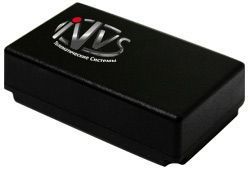


The Navitrek UM-02 is an autonomous search device designed to locate objects and transmit the information via GPRS/SMS channels to a control center. This compact device is perfect for tracking and monitoring assets, vehicles, or even individuals. With its advanced technology and reliable performance, the Navitrek UM-02 is an excellent choice for businesses and individuals looking for a reliable GPS tracker.
One of the standout features of the Navitrek UM-02 is its use of the domestic certified GLONASS/GPS receiver series NV08C manufactured by ZAO KB NAVIS. This receiver provides the user with a number of additional advantages, including enhanced accuracy and reliability. With the Navitrek UM-02, you can have peace of mind knowing that you are getting accurate and up-to-date location information.
Whether you need to track your fleet of vehicles, monitor the movement of valuable assets, or keep an eye on the whereabouts of a loved one, the Navitrek UM-02 is up to the task. Its compact design makes it easy to install and conceal, while its advanced features ensure that you have access to the information you need, when you need it. With the Navitrek UM-02, you can stay connected and in control.
Outstanding Features:
- Compact and easy to install
- Utilizes GLONASS/GPS receiver series NV08C for enhanced accuracy
- Transmits location information via GPRS/SMS channels
- Can be viewed on a computer or mobile phone
- Perfect for tracking vehicles, assets, or individuals
Set Up Navitrek UM-02
To set the tracker send the following commands by SMS messages, the sample setup the device password is 9klJkh, this password is the default
-
Factory reset
begin9klJkh -
Set the time zone UTC-0
time zone9klJkh 0 -
Set the operator APN
apn9klJkh {{apn}} -
Set the username and password of APN operator
up9klJkh {{apnu}} {{apnp}} -
Set the GPRS server
adminip9klJkh 54.85.159.138 8888 -
Switch to GPRS mode
bL5bVhaMFs,1,1
or
bL5bVhaMFs
To check settings check9klJkh